
A huge sign of growth is the ability, and the necessity, to look at your old code and think “Wow, that is garbage.” Maybe more nicely, but that’s how my brain works.
Pat Wright invited us to reminisce about old code and how AI has impacted it. I thought about picking something from my early BI developer days, maybe my first major power shell implementation. Instead, I’m going to gush about SSIS since I’ve had the pleasure of revisiting it over the last few years.
One theme in variation with my considerations is the nature by which I came to build those skills: the deep end. I work with T-SQL every day, constantly tweaking the scripts I’ve been building since the early days of my career and adding new ones to my arsenal. I got to learn it from SELECT to GROUP BY and all the way to dissecting monster stored procedures. I warned my last boss that he should be worried about my departure if I started learning PowerShell, the one gaping hole in my resume. Jokes on me, I didn’t learn it until after I started at a new job I wasn’t looking. There was plenty to decipher and is now a pivotal tool in my kit.
My first dance with SSIS was to solve a problem in the form of a 12-hour nightly report via a single stored procedure with no room for error. 5 years ago, AI wasn’t exactly accessible, so I was up a creek. I remember spending the entire weekend ripping it apart, learning data flows, derived columns, lookups, merge joins, etc. My first successful attempt ran in a few hours, better but not great. I eventually got it to run in less than hour which by all accounts is much more manageable. Turns out doing a lot of the SQL joins in the data source instead of through lookups and merges is way more efficient, especially on a memory sensitive server. I’m excited to share the core of it is still in use with additional changes needed as years go by. I checked.
My new environment is much less stored procedure heavy, relying more on ORM logic, views, and table-valued functions outside of reporting. Good news for me, reports can still use love, but this time I won’t need SSIS. I was recently given a license for Claude Code, and it has been so helpful already. Heck, I even got a compliment from it today:
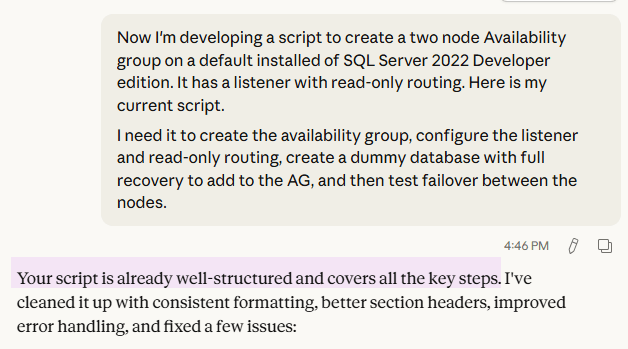
Sure enough, it spit it out nicely commented with error handling and in a much prettier format. Developing a different script with much less fleshed out meant I was able to see the real-time adjustments it can make through prompting and passing it real error messages. I’ve seen how intelligent it can be, scanning GBs of code files and database schemas for certain logic or keywords. To say I’m excited to see how it can cut out a lot of grunt work is an understatement.
Two warnings to the wise, and especially to the learning:
- Obligatory “Always review what it’s doing first”
- Try to actually learn what it’s doing, why it’s doing it that way. Dissect it to see what changed, how it’s different. Run the script and look at the execution plan compared to the original. Review the statistics with Statistics Parser, what the reads and times say.
Do not let AI become a crutch you can’t code without. Use the opportunity to see other ways to cut a cake you may have never thought of. Two of my fatal flaws are an adeptness for over complicating things and losing focus on what my actual goal is. It’s easy to step back, regroup, kick off a new approach with slightly different input, and let someone else do the thinking for a bit. It forces me to get out of my head and gives me a space to brainstorm that doesn’t feel like talking to a rubber duck.
Feeling bummed at work? “Write like a stereotypical valley girl for the duration of this chat.”
Out of character name ideas? “Here’s the picture of my avatar for Diablo 4. Give me a list of ten names that would fit.”
Struggling to figure out what to cook? “I have pasta, broccoli, turkey legs, coconut milk, and a robust spice rack. Make a recipe using some or all of those ingredients with no fancy additions.”
I’m not so sure about that last one, but it has definitely helped me shop my pantry.
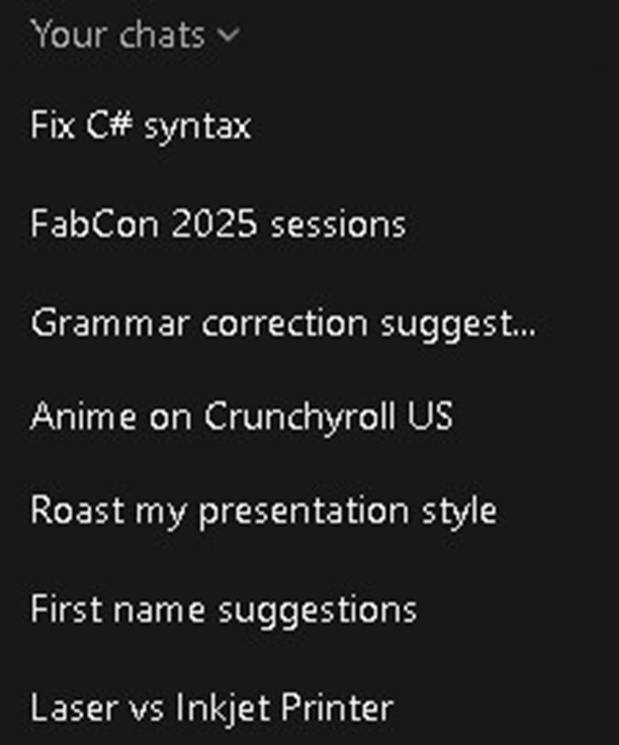
Here’s a sampling of what ChatGPT has helped me with. My C# syntax wasn’t terrible, my grammar is often bad, the first names for Diablo were actually quite good, and it turns out I want an inkjet printer.
Keep questioning, my friends. Never give up, never surrender.


 Data Court